
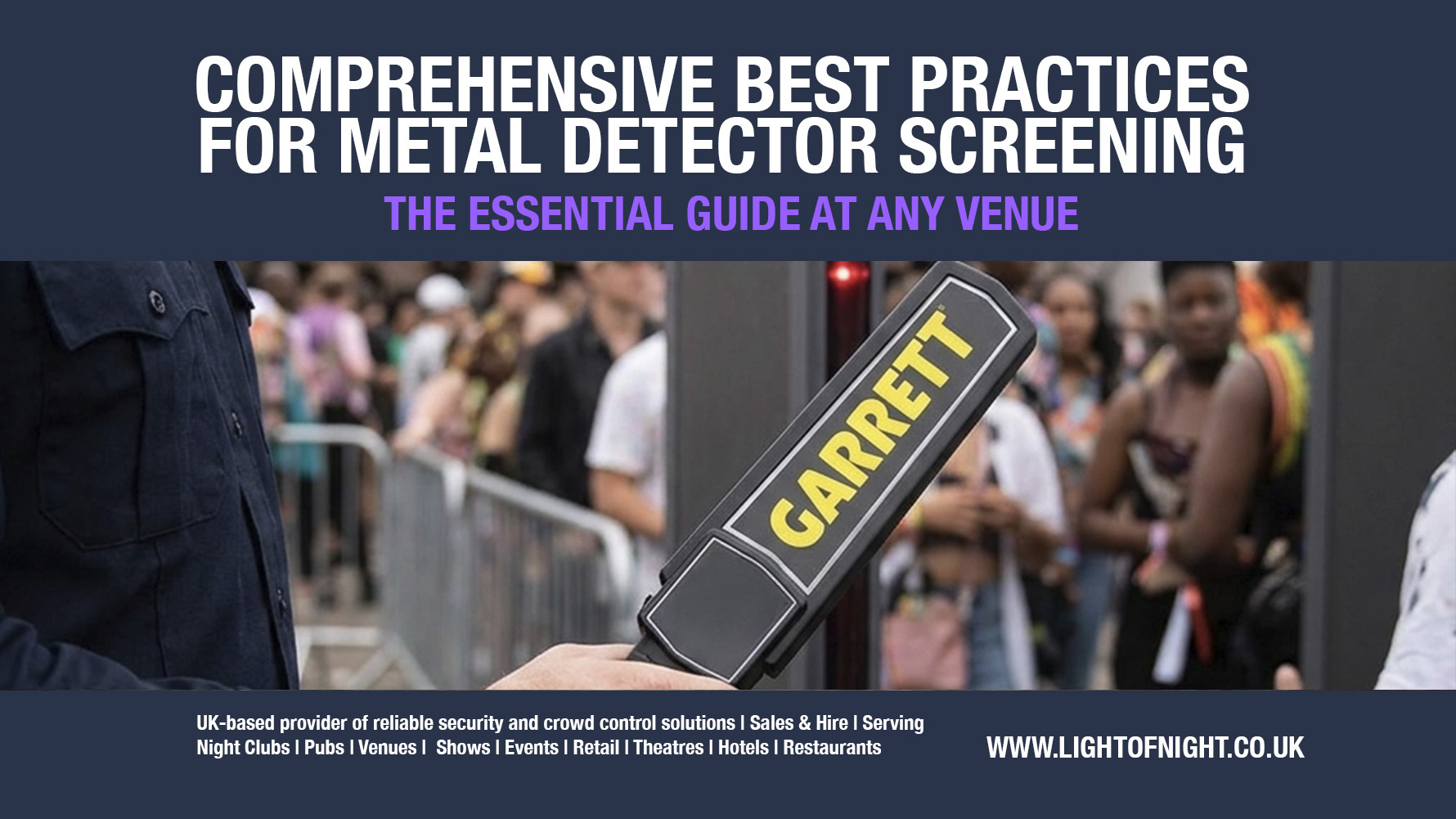
Effective security screening is an essential component of modern venue management, protecting staff, performers, and guests alike. However, the entry point is often a guest’s very first impression of an event. Balancing rigorous safety standards with a fast, respectful, and non-intrusive approach is crucial for maintaining crowd flow, preventing unnecessary queues, and fostering a welcoming atmosphere.
Using top-tier security equipment, such as hardware provided by Light of Night, this expanded guide details best practices for door staff operating both archway walk-through detectors and handheld scanners.
1. Implement a Integrated Two-Tier Screening System
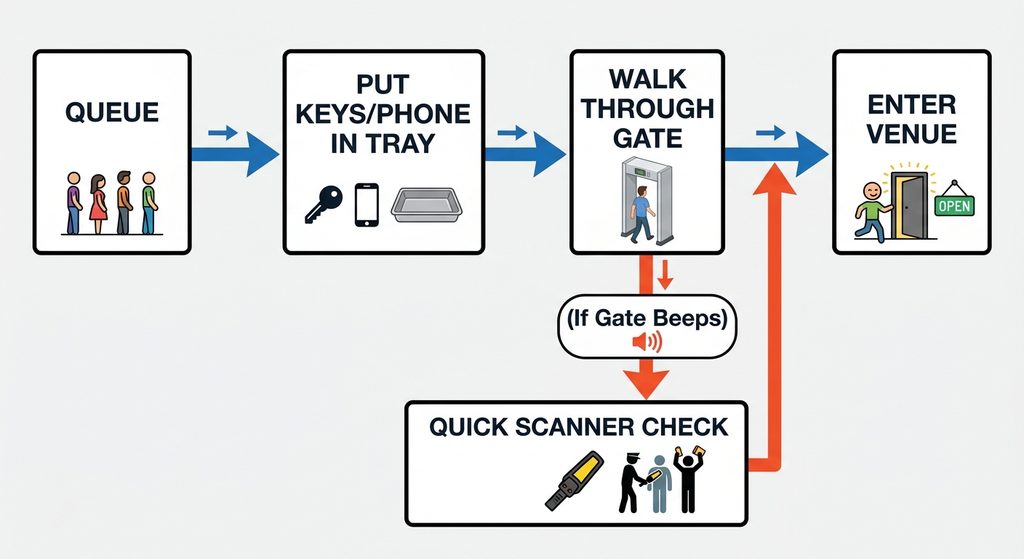
To manage high-volume entry without creating security vulnerabilities or excessive wait times, venues should deploy a two-tiered screening process.
- Primary Walk-Through Gateways: Walk-through archway metal detectors serve as the primary filter for high-throughput entry lanes. For temporary events, outdoors, or venues requiring flexible layouts, using equipment such as the Portable Walk-Through Metal Detector from Light of Night allows security teams to set up multi-zone detection portals rapidly.
- Secondary Handheld Validation: Reserve handheld metal detectors for pinpointing the exact location of an alert triggered by the walk-through archway. Utilising industry standards like the Garrett Super Scanner or the enhanced Garrett Super Scanner V enables targeted secondary checks without requiring physical contact.
- Pre-Screening Clear Zone: Erect queue barriers and signage several meters ahead of the walk-through portals. Prompt attendees to place metal items, phones, keys, and heavy belt buckles into clear tray lanes prior to walking through the archway to minimise unnecessary triggers.
2. Best Practices for Walk-Through Archway Metal Detectors
Walk-through metal detectors are the foundation of high-volume entry security. Operating them effectively requires attention to placement, calibration, and crowd pacing.
Positioning & Physical Setup
- Maintain Operational Clearance: Place walk-through archways at least 50 cm to 1 metre away from heavy external metal structures, power generators, or live electrical cabling to eliminate electromagnetic interference.
- Stable Footing: Ensure the detector archway is positioned on a level surface. Heavy footfall or movement of the frame can lead to false readings or internal sensor calibration errors.
Zone Calibration & Sensitivity Settings
- Adjust sensitivity levels according to the specific venue threat profile (e.g., standard event screening versus high-security VIP protocol).
- Utilise multi-zone walk-through detection features to identify immediately whether an alert corresponds to the head, torso, or ankle area, speeding up secondary resolution for door staff.
Pacing Attendees
- Single-File Flow: Direct guests through the archway one at a time at a steady, natural walking pace.
- Spacing Standard: Staff should maintain a gap of approximately 1 to 1.5 metres between attendees as they step through the frame to ensure each detection cycle finishes resetting before the next individual enters.
3. Best Practices for Handheld Wand Screening
When a walk-through detector signals an alert, secondary screening with a handheld scanner must be swift, systematic, and polite.
Scanning Motion & Technique
- Maintain Proper Distance: Hold the scanner parallel to the guest’s body at a consistent distance of 2.5 to 5 cm (1 to 2 inches). Moving the wand too far away reduces sensitivity, while touching the individual creates discomfort.
- Systematic Sweep: Move the device down the body in a structured pattern: front torso, along both arms, waistline, and down each leg. Repeat for the back.
- Handling Floor Interference: Nearby metal in concrete floors (rebar) can trigger false alerts around ankle height. Handheld scanners like the Garrett Super Scanner V incorporate a momentary push-button that temporarily reduces sensitivity to eliminate floor interference while keeping the target check accurate.
4. Professional and Respectful Door Staff Protocols
Security efficiency relies as much on staff soft skills as it does on hardware.
Communication & Transparency
- Ask Before Scanning: Security staff should greet the attendee and clearly state the action before scanning begins (e.g., “Good evening. Please step over to this line so I can complete a quick secondary scan, thank you.”).
- Clear Instructions on Alerts: If an alert occurs, instruct the guest to show or remove the metallic item themselves rather than reaching into pockets or bags.
Diversity & Inclusivity
- Ensure female and male security staff are present on entry lines so attendees can request a scanner check by a guard of their preferred gender if necessary.
- Maintain clear protocols for guests with medical conditions (e.g., pacemakers, joint replacements, or pregnancy), using handheld units or manual searches in accordance with accessibility guidelines.
5. Security Equipment Comparison & Fleet Management
Choosing the right equipment setup depends on venue size, crowd capacity, and event duration.
| Equipment Type | Best Use Case | Key Features | Hardware Selection |
| Walk-Through Archway | Primary high-throughput checkpoints at festival gates and large venue doors. | Multi-zone detection, rapid flow processing, hands-free screening. | Portable Walk-Through Metal Detector |
| Industry-Standard Wand Scanner | General secondary checks, targeted bag scans, and sports venue doors. | Large 8″ scanning area, rugged ABS casing, fast operation. | Garrett Super Scanner |
| Vibrating Alert Handheld | Loud music venues, night clubs, or discreet security checks. | Silent vibration alarm, digital microprocessor, self-calibrating. | Garrett Super Scanner V |
| Compact Tactical Scanner | VIP checks, restricted backstage entry, and tight spaces. | Ultra-compact profile, high sensitivity for small concealed items. | Garrett THD Metal Detector |
6. Maintenance & Daily Operational Checklist
Prior to opening doors, security supervisors should complete a functional audit of all screening equipment:
- Power Checks: Ensure walk-through detectors are connected to stable power or backup batteries. Verify that all handheld scanners have fresh or fully charged 9V batteries installed.
- Calibration Test: Test walk-through gates and wands using standard test metal pieces to confirm alarm triggers function as expected.
- Equipment Hire & Scaling: For large one-off events or seasonal capacity increases, hire supplementary walk-through gates and handheld units through specialised event suppliers such as Light of Night Metal Detector Hire Services to ensure full operational support and backup hardware.